
How it works
From opening the till to closing it
A day at the counter with Eppetech POS, step by step.
The checkout flow
-
Open your till
Each cashier opens a cash session at their branch with the opening float. From then on, cash sales and cash refunds update what the till should hold.
-
Find products
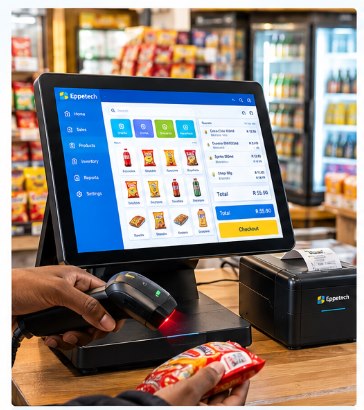
Scan a barcode with a keyboard-wedge scanner or a compatible Android terminal's scanner, search by name or code, or tap the product in the grid. A product can have more than one barcode.
-
Complete the sale
Adjust quantities, apply a discount if your role allows it, and check the VAT. Record payment in cash (with change worked out), on your card terminal, by EFT or other method, or split across several.
-
Look after the sale
Find any sale later, preview and reprint its receipt on screen, return some items or void it with a reason. Stock and cash are put right through recorded movements.
-
Close and review
Close the till by entering the counted cash; the variance is recorded. Owners and managers see today's sales, takings by payment method, low stock and terminal status on the dashboard.
When the connection drops
The POS terminal keeps selling
On a POS terminal, sales are saved on the device and sent automatically when the connection returns.
Reports, stock levels and other terminals only catch up once the terminal is back online. The browser version needs a connection.
- Sale saved on the device: "awaiting synchronisation".
- The device's outbox lists sales waiting to sync and any the server rejected.
- When online again, sales are sent; each is recorded once, even if it is retried.
- Price changes or a closed till found while syncing are flagged on the sale for review.
See it at your own counter
Book a demo and we'll walk you through a sale, a return and closing the till.